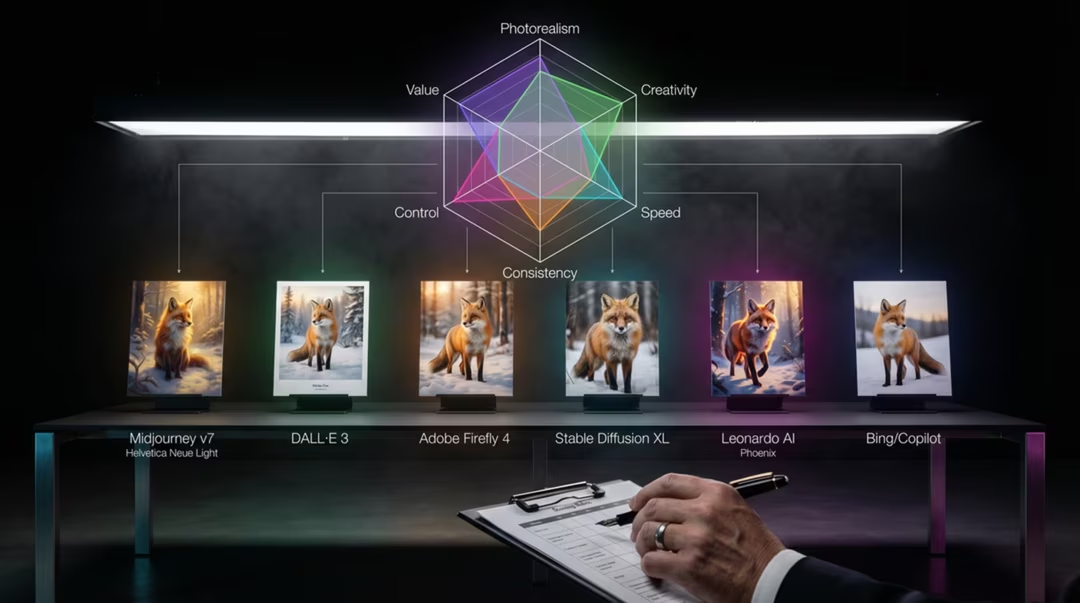
Most "best AI image generator" articles answer the wrong question. They rank tools as though photography, poster design, character sheets and product mock-ups were the same task. They are not, and no model leads in all of them.
This guide takes the opposite approach. We start from the work, then name the tool that currently handles it well. Where two tools are close, we say so. Where the market is likely to move, we flag it.
Key takeaways
- Choose by use case. The phrase "best AI image generator" has no useful single answer in 2026.
- Free tiers are strong. Nano Banana 2 in Gemini is a practical free recommendation for general work.
- Ideogram 3 is the leading option for readable text in images: posters, signage, thumbnails and logo concepts.
- Midjourney remains the reference point for aesthetic direction; FLUX.2 is often preferred for photorealism and API work.
- Adobe Firefly 5 is designed for commercial workflows and may suit teams with stricter approval requirements.
- The strongest workflow is usually multi-model: explore in one tool, finish in another.
Choosing by use case, not by ranking
Start with three questions. What must the image contain? Where will it be published? Who has to approve it? Those answers narrow the field faster than any leaderboard.
An Instagram carousel with overlaid type has different needs from a print advertisement. A game character sheet needs consistency across twenty images. A blog header needs to be finished in four minutes. Each of those points at a different tool.
The second useful habit is to separate exploration from production. Exploration wants speed and variety. Production wants control and predictability. Very few tools are excellent at both.
Free versus paid workflows
Free access is meaningfully good now. For personal projects, learning and low-stakes social content, you can work entirely on free tiers without embarrassment.
Paid plans buy four things: consistency, volume, specific capability, and clearer terms. If you are billing a client, the last two matter most. If you generate dozens of images a week, the first two do.
A common and sensible arrangement is one paid subscription for the work you sell, plus free tools for exploration. Paying for three subscriptions is rarely justified unless you work across genuinely different disciplines.
How we assess tools
We generate the same set of test briefs in each tool: a portrait, a product shot, a poster with text, a stylised illustration and an edit of an existing image. We do not publish scores, because a score implies a precision this market does not support.
Nano Banana 2
Available through the Gemini app, Nano Banana 2 is currently positioned as a strong all-round free-tier recommendation. Its advantages are ease of use, speed, believable realism and comfortable iteration.
Because it lives in a conversation, editing is natural: generate, look, ask for a change. That loop is far friendlier for beginners than rewriting a long prompt string each time.
It is less suited to strongly art-directed stylisation, where Midjourney is usually preferred, and to precise typographic work, where Ideogram leads. Free-tier limits and availability can change.
A woman in a linen shirt standing in a doorway of a whitewashed house, late afternoon sun from the side, natural skin texture, 50mm lens, shallow but believable depth of field, muted natural colour
Then: "Same photo, but overcast light and a slightly wider crop."
GPT Image 2
GPT Image 2 in ChatGPT is positioned as a leading mainstream reasoning-oriented image model. In practice that means it plans before rendering, which tends to help with instruction-heavy briefs, counts, spatial relationships and short text.
It suits people who work in revisions. Give it a constraint, review, refine. It is also comfortable working from reference images and describing what it changed.
The trade-off is pace. If you want thirty stylistic options quickly, a faster model will serve you better. Full detail is in Nano Banana 2 vs GPT Image 2.
Midjourney
Midjourney remains the strongest choice for raw aesthetic direction, stylisation and editorial or art-directed imagery. It has a point of view, which is exactly what many creators want.
The cost of that opinion is control. Midjourney will improve your idea whether or not you asked it to, and precise text remains a weak point. For a poster with exact copy, generate the artwork here and typeset elsewhere.
Fifty ready-to-use prompts live in our prompt engineering silo; from this guide, the relevant sibling is best Midjourney alternatives.
FLUX.2
FLUX.2 is frequently preferred for photorealism and technical workflows, including API-oriented use where images are generated programmatically inside a product or pipeline.
It rewards literal, camera-literate description: lens, aperture, film stock, material behaviour. Vague artistic phrasing gets vague results, which is a feature if you know what you want.
For teams building generation into an application, availability through multiple providers is a practical advantage. For a hobbyist who wants one-click beauty, it is more work than the alternatives.
A stainless steel espresso machine on a dark walnut counter. Directional light from a north-facing window at camera left, one soft fill card at right. Visible brushed metal grain, faint fingerprints, condensation on the drip tray. 85mm lens, f/5.6, ISO 200, tripod, no motion blur.
Note how much of this describes physical behaviour rather than mood.
Leonardo AI
Leonardo AI is built around production: game assets, character design, concept art and repeatable asset workflows. Realtime Canvas, which renders as you sketch, is the feature most often missed elsewhere.
If you need forty consistent props in one style, this is a more sensible home than a tool optimised for single hero images. If you need one striking editorial photograph, it is not.
Leonardo's Phoenix and Lucid Origin models are capable, but we would not describe any of them as the category-leading image model overall. See Leonardo AI vs Midjourney for the workflow comparison.
Ideogram 3
Ideogram 3 is the leading option for text inside images. Posters, signage, logo concepts, thumbnails and social graphics with headline copy are where it separates itself from the field.
Text rendering is genuinely difficult because letterforms must be exactly right rather than merely plausible. Ideogram gets short strings correct far more often than general-purpose models.
It is not a replacement for a typographer or a trademark search. Our chapter on the best AI tool for logos and text-in-images sets out where the line falls.
A minimal café poster. The words "Slow Mornings" in a high-contrast serif, centred in the upper half. Below, "Open from seven" in small caps. Warm cream background, single ceramic cup illustration, generous margins, print layout, no other text.
Quote the copy, place it, and forbid extra text. Three instructions, reliably followed.
Adobe Firefly 5
Adobe Firefly 5 is designed for commercial workflows. The relevant features are Content Credentials and C2PA support, integration with Adobe applications, and structures that suit enterprise approval processes.
For agencies and in-house teams, being able to show provenance and keep generation inside an existing licensing and review framework can matter more than a marginal quality difference.
Published plans include Firefly Standard at $9.99 per month with 2,000 credits, and Firefly Pro at $19.99 per month with 4,000 credits. Our Adobe Firefly 5 review examines this in depth, including EU AI Act readiness considerations.
Model availability, product features, pricing, and usage terms can change. Check the official product page before making a purchasing decision.
Bing Image Creator
Bing Image Creator is best understood as a free, accessible multi-model image-generation entry point inside the Microsoft ecosystem. It offers access to GPT-4o image generation and Microsoft's MAI-Image-1.
As of 14 August 2026, it displays a notice that DALL·E 3 will retire in the coming weeks, and DALL·E 3 may remain available to some users during that transition. Which model you receive can vary by region, account, product rollout and retirement schedule.
That makes it excellent for casual use and poor for work requiring guaranteed consistency. See the Bing Image Creator guide in our image generation silo for the practical detail.
Capability comparison
| Tool | Photorealism | Stylisation | Text in image | Editing | Speed |
|---|---|---|---|---|---|
| Nano Banana 2 | Strong | Moderate | Moderate | Strong, conversational | Fast |
| GPT Image 2 | Strong | Moderate | Strong for short strings | Strong, conversational | Moderate |
| Midjourney | Strong but stylised | Leading | Weak | Moderate | Fast |
| FLUX.2 | Leading | Moderate | Moderate | Varies by provider | Varies |
| Leonardo AI | Good | Strong for assets | Moderate | Strong, canvas-based | Moderate |
| Ideogram 3 | Good | Good | Leading | Moderate | Fast |
| Adobe Firefly 5 | Strong | Moderate | Good | Strong in Adobe apps | Moderate |
| Bing Image Creator | Varies by model | Varies | Varies | Limited | Fast |
| Tool | Access | Cost model | Commercial considerations |
|---|---|---|---|
| Nano Banana 2 | Gemini app | Free tier plus paid plans | Check current terms for commercial use |
| GPT Image 2 | ChatGPT | Plan dependent | Check current terms for commercial use |
| Midjourney | Web and Discord | Subscription tiers | Terms differ by plan; review before client work |
| FLUX.2 | Multiple providers and APIs | Usage or subscription | Depends on provider licence |
| Leonardo AI | Web app | Credit-based plans | Review plan terms for asset use |
| Ideogram 3 | Web app | Free and paid tiers | Logo concepts require separate legal review |
| Adobe Firefly 5 | Adobe apps and web | Standard $9.99/mo, 2,000 credits; Pro $19.99/mo, 4,000 credits | Designed for commercial workflows; Content Credentials support |
| Bing Image Creator | Microsoft account | Free | Model varies; verify terms for the model you receive |
Model availability, product features, pricing, and usage terms can change. Check the official product page before making a purchasing decision.
The decision table
| Job | Start with | Also consider |
|---|---|---|
| Photorealistic portrait | FLUX.2 | Nano Banana 2 |
| Editorial or art-directed image | Midjourney | FLUX.2 |
| Product photography | FLUX.2 | Adobe Firefly 5 |
| Logo concepts | Ideogram 3 | GPT Image 2 |
| Readable text in an image | Ideogram 3 | GPT Image 2 |
| Game assets | Leonardo AI | Midjourney for concept |
| Character consistency | Leonardo AI | GPT Image 2 with references |
| Social graphics | Ideogram 3 | Nano Banana 2 |
| YouTube thumbnails | Ideogram 3 | GPT Image 2 |
| Client and commercial campaigns | Adobe Firefly 5 | FLUX.2 with licence review |
| Image editing | Nano Banana 2 | Adobe Firefly 5 |
| Sketch to image | Leonardo AI Realtime Canvas | Nano Banana 2 |
| Fast free experimentation | Nano Banana 2 | Bing Image Creator |
| API and pipeline work | FLUX.2 | Provider-specific options |
| Anime and manga visuals | Midjourney Niji workflows | Nano Banana 2 |
| Mood boards | Midjourney | Nano Banana 2 |
The expanded version of this table, with eighteen jobs and reasoning for each, is in best AI image tool by use case.
A small independent bakery shopfront at dawn, hand-painted sign reading "Flour & Salt", warm interior light spilling onto wet pavement, one figure inside setting out trays, 35mm, muted colour
Run this in Midjourney for mood, FLUX.2 for realism and Ideogram 3 for the sign. Comparing the three teaches more than any review.
Using the uploaded image, keep the composition and lighting exactly as they are. Replace the paper cup with a ceramic mug of the same size, match the existing shadow direction, and change nothing else.
Constraint-led editing works best in conversational tools. "Change nothing else" is the important clause.
Responsible and transparent use
Whichever tool you choose, the obligations are the same. Do not present generated images as documentary photographs. Do not generate identifiable people in fabricated situations. Disclose AI involvement where a viewer would reasonably want to know.
Content Credentials help, but support is inconsistent and metadata can be stripped in transit. Treat provenance data as a useful signal rather than proof, and keep your own records for client work.
Before you commit a project
Confirm the current terms for the exact plan you are on, confirm which model you are actually using, and keep a copy of the licence text you relied on. Terms change more often than most creators check.
Chapters in this guide
Seven chapters take individual comparisons further, each with its own testing notes and decision guidance.
- Best Midjourney Alternatives: Free and Paid Tools ComparedSeven alternatives, matched to the creator each one actually suits.
- Best AI Tool for Logos and Text-in-Images: Ideogram 3 and AlternativesReadable type, logo concepts and where legal review begins.
- Best AI Tool for Social Media GraphicsThumbnails, carousels, Pinterest and ad concepts by team type.
- Leonardo AI vs Midjourney: 2026 ComparisonAsset production against aesthetic direction.
- Adobe Firefly 5 Review: Is It Worth It for Commercial Work?Content credentials, approvals and published plan details.
- Nano Banana 2 vs GPT Image 2: Which AI Image Tool Is Better?A recommendation by user type rather than a single winner.
- Best AI Image Tool by Use Case: A Practical Decision GuideEighteen jobs mapped to the tool that handles each one well.
Frequently asked questions
Which AI image tool should a complete beginner start with?
Nano Banana 2 through the Gemini app is a practical starting point because it is free to try, accepts plain language and supports follow-up edits. Bing Image Creator is another free option inside the Microsoft ecosystem.
Is a paid AI image tool worth it?
It becomes worth it when you need consistency, volume, specific styles or clearer commercial terms. For occasional personal images, current free tiers are usually sufficient and improving quickly.
Which tool is best for text inside images?
Ideogram 3 is currently the leading option for readable text in images, including posters, signage and thumbnails. GPT Image 2 also handles short strings well. Keep copy short and set final type in a design tool for professional work.
Which tool is safest for client work?
Adobe Firefly 5 is designed for commercial workflows and may be preferable for teams with stricter approval requirements, partly because of Content Credentials support. No tool guarantees legal safety, so review the terms for your plan.
Do I need more than one AI image tool?
Many working creators use two or three. A fast free model for exploration, a specialist for the final image, and a design tool for typesetting is a common and effective combination.
How often does this comparison change?
Frequently. Model line-ups and pricing move several times a year, which is why every tool page carries a visible last-reviewed date and a change disclaimer.
Where to go next
If you have a specific job in front of you, go straight to the decision guide. If you are choosing a first paid subscription, read the Midjourney alternatives chapter before you commit.