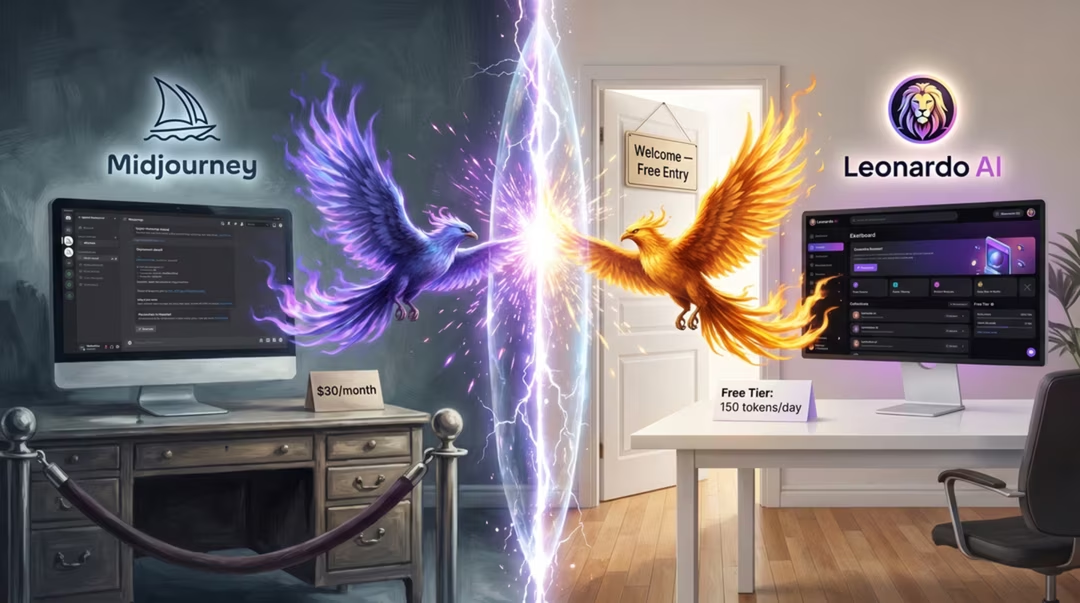
Midjourney is an art director. Leonardo is a studio. That is the whole comparison in two sentences, and everything below is the detail behind it.
Neither tool is automatically the best choice for every creator. What matters is whether your work is measured in individual images or in coherent sets.
Key takeaways
- Midjourney is often preferred for aesthetic direction, stylisation and editorial imagery.
- Leonardo is built for asset production, character consistency and canvas-driven work.
- Realtime Canvas has no direct Midjourney equivalent and changes how composition is controlled.
- Midjourney uses subscription tiers; Leonardo uses credits. Check current plans before deciding.
- Using both is common and often sensible: concept in one, produce in the other.
Two different philosophies
Midjourney optimises for the striking single image. It applies taste on your behalf, which is a gift when you are exploring and an obstacle when you have a rigid brief.
Leonardo optimises for repeatability. Its interface assumes you will come back tomorrow and need something that matches what you made today.
Ease of use
Midjourney is simpler to start: type a short prompt, get four attractive images. Leonardo presents more controls, which is more to learn but more to steer.
For a beginner who wants a beautiful picture in five minutes, Midjourney wins. For a beginner building a game project, Leonardo's structure pays back the extra learning quickly.
Image quality and style
On single-image aesthetic quality, Midjourney is frequently preferred, particularly for editorial, atmospheric and stylised work. Its images tend to feel composed rather than assembled.
Explore MidjourneyLeonardo produces good images and excellent assets. We would not describe its models as the category-leading image models overall, and that framing is deliberate: strength in production is not the same as strength in aesthetics.
For photorealism specifically, FLUX.2 is often preferred over both, as set out in the pillar comparison.
abandoned observatory on a hillside at dusk, rusted dome, overgrown path, low fog, cinematic muted palette, 35mm, quiet melancholy
Short and atmospheric. Midjourney supplies the rest.
Subject: abandoned hillside observatory with a rusted metal dome. Setting: overgrown path, dusk, low fog. View: three-quarter establishing shot, dome upper right. Lighting: fading daylight, no artificial sources. Style: painterly concept art, muted palette, consistent with an environment set.
Labelled clauses make this reusable across a whole environment series.
Characters and asset design
Character consistency is where the gap is widest. Leonardo's reference-led generation and saved settings make it realistic to produce a character across twenty poses.
Midjourney can hold a character across a handful of images with careful prompting and references, but it fights you as the set grows. It was not designed for that job.
Same character, unchanged design: a wiry courier in her late twenties, cropped dark hair, scar through the left eyebrow, patched olive canvas jacket, worn leather satchel. New pose: crouched beside a bicycle, adjusting a strap, three-quarter view, same style and palette as the reference sheet.
Reuse this block verbatim. Rewriting it is what breaks consistency.
Realtime Canvas and editing
Realtime Canvas renders while you sketch, so composition is decided by hand rather than described in words. For layout-critical work this is a genuinely different way to operate.
For editing, Leonardo's canvas-based tools are more direct. Midjourney's editing has improved but remains prompt-mediated rather than spatial.
Prompt behaviour
| Aspect | Midjourney | Leonardo AI |
|---|---|---|
| Ideal prompt length | 15–30 words | 35–60 words |
| Register | Evocative, compressed | Specification-like |
| Interpretation | Generous, adds taste | Closer to literal |
| Consistency across a set | Requires effort | Designed for it |
| Text in images | Weak | Moderate |
Pricing models
Midjourney uses subscription tiers with different generation allowances. Leonardo uses a credit system where different actions cost different amounts.
The practical difference is predictability. A subscription with generous limits suits heavy exploration; credits suit measured, planned production. We do not quote specific figures here because they change.
Model availability, product features, pricing, and usage terms can change. Check the official product page before making a purchasing decision.
A nuanced verdict
Choose Midjourney for aesthetic art direction, stylisation, mood boards and editorial imagery where a distinctive look matters more than exact control.
Choose Leonardo for asset production, character work, game pipelines and canvas-driven composition where consistency and repeatability matter more than flair.
Neither tool is automatically the best choice for every creator, and using both in sequence — concept in Midjourney, produce in Leonardo — is a legitimate and common answer.
How to decide in one question
Will you need a second image that matches this one? If yes, lean Leonardo. If no, lean Midjourney.
Frequently asked questions
Which produces better images, Leonardo or Midjourney?
For a single art-directed image, Midjourney is often preferred. For a consistent set of production assets, Leonardo's workflow usually produces the more useful result. The question depends on the job.
Which is better for character design?
Leonardo, because reference-led generation and repeatable settings make consistency across many images more achievable.
What is Realtime Canvas and does Midjourney have an equivalent?
Realtime Canvas is Leonardo's sketch-to-image workspace that renders as you draw. Midjourney's workflow is prompt-led rather than canvas-led, so there is no direct equivalent.
How do the pricing models differ?
Midjourney uses subscription tiers and Leonardo uses a credit-based system. Specific allowances change over time, so check both current plan pages before committing.
Can I use both?
Many people do. Midjourney for concepting and mood, Leonardo for turning an approved direction into a consistent set of production assets.
Return to the pillar guide for the full comparison: nine tools across realism, text, editing, speed, commercial safety and cost.
Continue the series
The other chapters in the AI Image Tools comparison guide.