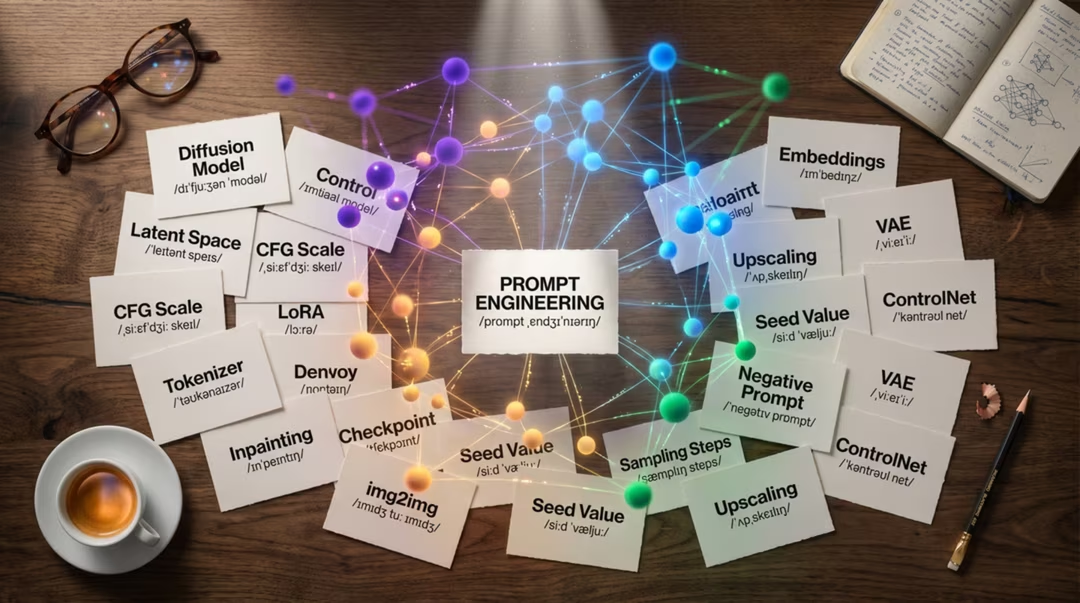
Terminology in this field is inconsistent. The same idea can appear as "guidance" in one tool and "CFG scale" in another, and marketing language often outruns technical meaning. This glossary favours the plain sense of each term.
Key takeaways
- Most controls have obvious names once you know what they physically do to the generation process.
- Vocabulary differs between tools; the underlying concept is usually shared.
- Provenance terms — C2PA, content credentials — are now part of professional practice.
- Use the alphabet links below rather than scrolling.
A
- Aspect ratio
- The shape of the frame, expressed as width to height. Set it before generating; cropping afterwards throws away pixels and can ruin composition.
- Artefact
- An unintended visual defect: a warped hand, a smeared texture, a garbled letterform. Usually fixed by inpainting or by a targeted negative prompt.
- Attention
- The mechanism that lets a model weigh which parts of the input matter for which parts of the output. It is why distant elements of a scene can stay consistent with one another.
B
- Base model
- The underlying trained model before any add-ons, fine-tunes or style layers are applied. Everything else builds on top of it.
- Batch
- A set of images generated together from one prompt. Small batches make comparison manageable; large ones burn credits and teach you little.
C
- C2PA
- An open technical standard for recording the provenance of a piece of media, including whether it was generated or edited with AI. It underpins content credentials.
- CFG / guidance
- Classifier-free guidance. Controls how strictly the model follows your prompt. Low values improvise, high values obey and can look stiff or over-saturated.
- Content credentials
- The consumer-facing implementation of provenance metadata, typically built on C2PA. Support varies between tools and platforms, and metadata can be stripped in transit.
- Checkpoint
- A saved state of a trained model. In open ecosystems, downloadable checkpoints are how different model variants are distributed.
- Composition
- How elements are arranged within the frame. One of the four blocks in the SSCL structure, and the fastest way to make an image feel deliberate.
D
- Denoising
- The step-by-step removal of noise that turns random static into an image. The core operation of a diffusion model.
- Diffusion
- A family of generative techniques trained by adding noise to images and learning to reverse the process. Most current image generators are diffusion-based or diffusion-derived.
- Depth map
- A greyscale representation of distance in a scene, used to control the three-dimensional arrangement of a generated image.
F
- Fine-tune
- Additional training applied to a base model to specialise it in a subject or style. Heavier and more capable than a LoRA.
- 4K native output
- Generation directly at approximately 4K resolution rather than producing a smaller image and upscaling it. Native output usually preserves detail more faithfully.
G
- Generation
- A single run of the model producing one or more images from a prompt and settings.
- Grain
- Fine visual noise resembling film or sensor texture. Adding a little is one of the simplest ways to reduce the over-clean look of synthetic images.
I
- Image conditioning
- Supplying an image alongside a prompt so that it influences the result — for structure, style, palette or subject. The umbrella term covering image-to-image, references and control inputs.
- Image-to-image
- Starting generation from an existing image rather than from pure noise. A strength setting decides how much of the original survives.
- Inference
- The act of running a trained model to produce output, as opposed to training it.
- Inpainting
- Regenerating a selected region inside an existing image while leaving the rest untouched. The standard fix for a bad hand or an unwanted object.
L
- Latent space
- The compressed numerical representation in which most image generation actually happens. Working here rather than in full-resolution pixels is what makes the process fast.
- LoRA
- Low-Rank Adaptation. A small add-on trained to push a base model toward a particular style, character or subject without retraining the whole model.
- Lens language
- Prompt terms borrowed from photography — focal length, aperture, film stock — that reliably influence perspective, depth and rendering.
M
- Multimodal model
- A model that handles more than one kind of input or output, such as text and images together. Most chat-based image tools are multimodal in this sense.
- MAI-Image-1
- Microsoft's image generation model, available within Microsoft products including Bing Image Creator. Availability can vary by region and rollout.
- Mask
- A selection defining which part of an image an operation applies to. Used for inpainting and targeted edits.
N
- Nano Banana
- The image generation capability available through the Gemini app, currently positioned as a strong free-tier option for realistic images, quick iteration and conversational editing.
- Negative prompt
- A list of things the model should avoid, where the tool supports one. Most effective when short and targeted at a recurring artefact.
- Noise
- Random data that generation begins from. The seed determines the exact noise pattern used.
O
- Outpainting
- Extending an image beyond its original borders, generating plausible content in the new area. Useful for changing aspect ratio without cropping.
- Overfitting
- When a model or add-on has learned its training examples too specifically and produces repetitive, inflexible results.
P
- Parameter
- A setting that modifies generation, such as aspect ratio, seed or stylisation strength. Syntax differs by tool.
- Prompt
- The text description you provide. In practice, an art direction brief compressed into a sentence or two.
- Prompt weight
- Emphasis applied to part of a prompt so that it influences the result more or less strongly. Syntax varies, and not all tools support it.
- Provenance
- The recorded history of how a piece of media was created and edited. See C2PA and content credentials.
R
- Reasoning model
- An image system that forms an internal interpretation of the brief before rendering. The observable effect is more reliable handling of instructions, counts, layout and short text.
- Reference image
- An image supplied alongside a prompt to guide composition, style, palette or subject. Always state which of those it is for.
- Resolution
- The pixel dimensions of the output. Higher is not automatically better if the extra detail is invented rather than captured.
- Realtime Canvas
- A sketch-to-image workspace, notably in Leonardo AI, that renders continuously as you draw so composition is controlled by hand.
S
- Sampler
- The algorithm that governs how noise is removed at each step. Different samplers produce subtly different textures and convergence behaviour.
- Sampling steps
- The number of refinement passes during generation. Returns diminish beyond a moderate value.
- Seed
- The number that sets the starting noise. Fixing it lets you change one prompt element and compare results fairly.
- SSCL
- Subject, Scene, Composition, Light. A four-block prompt structure that ensures the essentials are covered before style is added.
- Style reference
- An image or code used to apply a consistent visual style across multiple generations. Implementation and naming differ between tools.
T
- Text encoder
- The component that converts your prompt into a numerical representation the image model can steer toward.
- Token
- A unit of text after your prompt is split up for processing. Roughly a word or word-fragment, and the reason prompt length has practical limits.
- Transformer
- An architecture built around attention, used for language understanding and, increasingly, for the image side of generation.
- Text-in-image
- Rendered lettering inside a generated picture. Difficult because letterforms must be exactly correct rather than merely plausible.
U
- Upscaling
- Increasing the resolution of an image. Modern upscalers invent plausible detail, which is fine for texture and risky for text or fine structure.
V
- Variation
- A new image generated from an existing one with small changes, used to explore around a result you already like.
- VAE
- Variational autoencoder. The component that compresses images into latent space and decodes them back into pixels.
W
- Weights
- The learned numerical parameters that constitute a trained model. Distributing a model means distributing its weights.
- Workflow
- The sequence of tools and steps you use from brief to finished file. In 2026 the strongest workflows are usually multi-model.
Terminology moves
Product names and feature labels change frequently. Where a definition depends on a specific product, we have described the concept rather than a version number.
Frequently asked questions
What is the difference between a seed and a reference image?
A seed sets the random starting point for generation and affects the whole image. A reference image supplies visual information such as composition, palette or subject that the model can draw on.
What does CFG stand for?
Classifier-free guidance. In practice it is the setting that controls how strictly the model follows your prompt rather than improvising.
Is a LoRA the same as a fine-tuned model?
A LoRA is a small add-on trained to nudge a base model toward a specific style or subject. A full fine-tune retrains far more of the model and is much heavier to produce and distribute.
What are content credentials?
Provenance metadata attached to a file, usually implemented against the C2PA standard, which can record how an image was created or edited. Support varies and metadata can be stripped.
What is a multimodal model?
A model that works across more than one type of input or output, such as text and images together. Most current image tools inside chat interfaces are multimodal in this sense.
Return to the pillar guide for the full picture: how these systems work, how the model landscape fits together, and which tool suits which job.
Continue the series
The other chapters in the AI Image Generation guide.