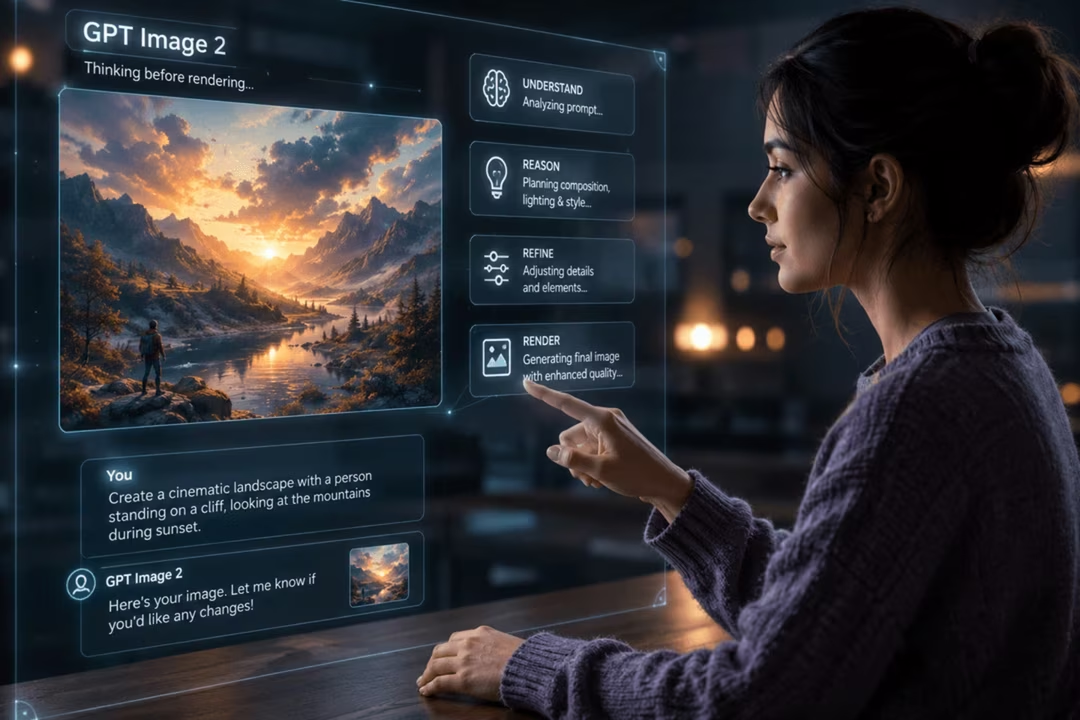
GPT Image 2 is positioned as a leading mainstream reasoning-oriented image model, available inside ChatGPT. For most people the meaningful difference is not the architecture but the interaction: you brief it in conversation and refine by asking.
This guide explains the idea plainly, sets out the workflows that suit it, and is honest about where it is not the fastest route to a good picture.
Key takeaways
- "Thinking before rendering" describes observable behaviour: better handling of instructions, counts and layout.
- Conversation is the interface. Brief, review, correct — do not rewrite long prompt strings.
- Reference images work well, especially with explicit instructions about what to preserve.
- Short text strings are handled comparatively well; long typography still belongs in a design tool.
- It is slower than lightweight models, so it suits refinement more than bulk exploration.
What GPT Image 2 is
It is an image model reached through ChatGPT rather than a separate application. You describe an image, it generates one, and the conversation continues with the image as shared context.
That framing removes the biggest barrier for newcomers. There is no parameter syntax, no channel to join, no settings panel to decode. There is a sentence and a reply.
"Thinking before rendering", explained
Traditional text-to-image goes almost directly from your words to a picture. A reasoning-oriented approach inserts an interpretive step: the system works out what the brief actually requires before committing to pixels.
The practical result is better compliance with instructions. Counts are more often correct. Spatial relationships hold up. Requested words appear more reliably. Negative instructions such as "no people in the background" are respected more consistently.
Two cautions. First, this is a description of behaviour, not a claim that the model understands anything. Second, it is not infallible — verify anything that matters, especially numbers and text.
A fair expectation
Expect fewer instruction failures, not perfection. If an image must contain exactly seven items, count them yourself before publishing.
Conversational image prompting
Lead with purpose and constraints. "I need a header image for an article about repairing old furniture. Landscape. Space on the right for a headline. No text in the image." That is a better opening than a stack of adjectives.
Then let the model do the first interpretation and correct from there. Because it holds context, your second message can be short and surgical.
I need a landscape header image for an article about repairing old furniture. Show a workbench with hand tools and a partly restored chair. Warm workshop light, documentary photograph, not staged. Keep the right third relatively empty for a headline. No text anywhere in the image.
Purpose, content, treatment, layout, constraint. Five clauses, no adjectives about quality.
Iterative edits
Change one thing at a time and always say what should stay. The phrase "keep everything else exactly as it is" is the most valuable sentence in conversational image work.
If a series drifts, go back to the message that produced the version you liked and branch from there rather than trying to reverse six accumulated changes.
Keep the composition, lighting and colour exactly as they are. Replace the metal hand plane on the bench with a wooden one of a similar size, and match the existing shadow direction. Change nothing else.
Three clauses: preserve, change, forbid. This pattern works in any conversational tool.
Reference-image workflows
Upload a reference and be explicit about what it is for. A reference can supply composition, palette, subject likeness or style, and the model cannot guess which you mean.
"Use this image only for the colour palette" is a different instruction from "match this composition exactly", and confusing them is the usual cause of disappointing results.
Use the uploaded photograph only as a reference for the colour palette and the quality of light. Do not copy the composition or the subject. Apply that palette to a new image of a harbour at dawn with two small boats.
Naming what the reference is not for is as important as naming what it is for.
| Task | Suitability | Note |
|---|---|---|
| Instruction-heavy briefs | Strong | Counts and spatial relationships hold up well |
| Short text in images | Good | Keep copy brief and quoted |
| Iterative refinement | Strong | Context carries between messages |
| Bulk style exploration | Limited | Faster models are better here |
| Distinctive art direction | Moderate | Midjourney is often preferred |
Best use cases and limits
It excels when the brief is complicated: several elements, particular arrangements, a specific word on a sign, an instruction about what must not appear.
It is less suited to generating thirty stylistic variants quickly, and it will not out-style Midjourney on aesthetic character. Speed is the honest trade-off for care.
How it differs from other models
Against Nano Banana 2, the difference is pace versus compliance: Nano Banana is quicker and very comfortable, GPT Image 2 follows complex instructions more reliably.
Against Midjourney, it is control versus character. Against FLUX.2, it is conversation versus technical specificity. For a fuller picture of where each sits, the pillar guide lays out the landscape.
Frequently asked questions
What does reasoning before rendering actually mean?
It means the system works out an internal interpretation of your brief before producing pixels. The observable effect is more consistent handling of instructions, counts, spatial relationships and short text. It is a description of behaviour, not a claim about understanding.
Is GPT Image 2 free?
Access depends on your ChatGPT plan, and allowances can change. Check the current plan details before relying on it for regular work.
Can it edit images I upload?
Yes. Upload a reference and describe the change. Bounded instructions such as "change only the background and keep the lighting identical" produce far better results than open requests.
How good is it at text inside images?
It handles short strings well by current standards, which makes it useful for simple headlines and labels. For posters and logo concepts where typography must be exact, Ideogram 3 is usually the stronger choice.
When should I use a different tool?
Use Midjourney for strong aesthetic direction, FLUX.2 for technical photorealism and API work, Nano Banana 2 for fast free iteration, and Leonardo AI for game assets and character sets.
Return to the pillar guide for the full picture: how these systems work, how the model landscape fits together, and which tool suits which job.
Continue the series
The other chapters in the AI Image Generation guide.