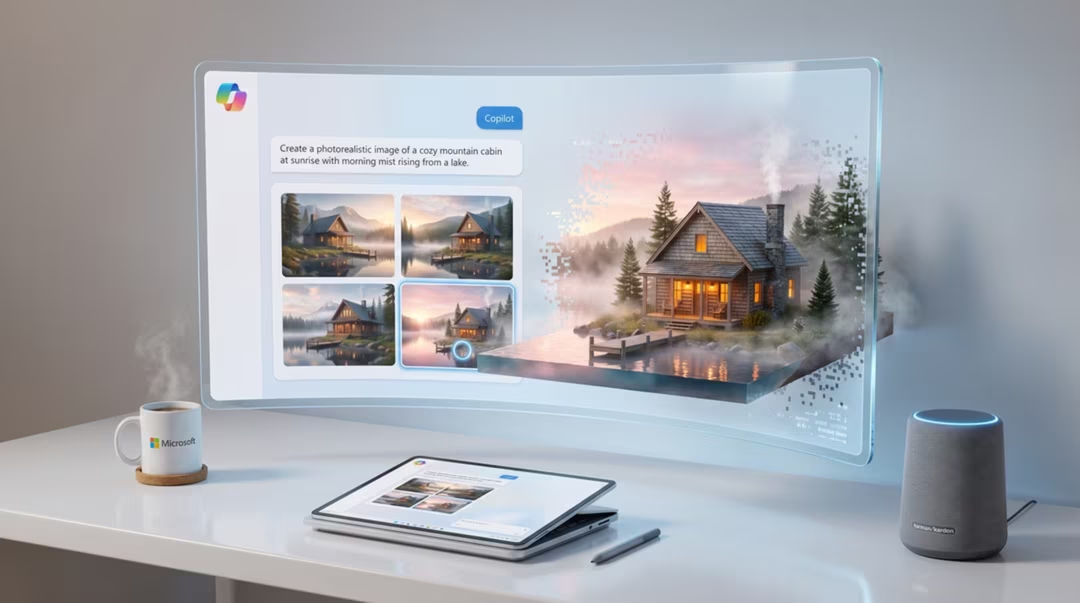
For several years the shorthand for this product was simple and, for a while, accurate. That shorthand no longer describes what you get. Bing Image Creator is best understood today as a free, accessible multi-model image-generation entry point inside the Microsoft ecosystem.
That change matters practically. When more than one model can serve your request, the result you get depends on factors outside your prompt. This guide explains what those factors are and how to work with them.
Key takeaways
- Bing Image Creator now includes access to GPT-4o image generation and Microsoft's MAI-Image-1.
- As of 14 August 2026, the product displays a notice that DALL·E 3 will retire in the coming weeks.
- Model availability may vary by region, account, product rollout and retirement schedule.
- It is excellent for free, casual generation and weak for work that requires guaranteed consistency.
- Integration across Microsoft tools is its most underrated practical advantage.
What Bing Image Creator is now
It is a free image generator reachable from Bing and from other Microsoft surfaces. You type a description, it returns images, and you can save or share them without any subscription.
What has changed is the engine room. Rather than one model behind one box, several models sit behind the same interface, and Microsoft has been shifting which one serves requests over time.
For casual users this is invisible and largely positive. For anyone producing a consistent series, it is the single most important thing to understand about the product.
The model line-up and the transition
Two components define the current offering: access to GPT-4o image generation, and Microsoft's own MAI-Image-1. DALL·E 3 also remains present during a transition period.
As of 14 August 2026, Bing Image Creator displays a notice that DALL·E 3 will retire in the coming weeks. That is a scheduled change, and precise timing may differ by region.
We would not describe this product as a free route to any single named model, and we would advise against planning a workflow around one. Describe what you want, judge what you receive.
Model availability can change
Which model serves your request may vary by region, account, product rollout and retirement schedule. Check the interface before starting work that depends on consistency, and re-check after any product update.
Using it well
Write plainly and completely. Because you cannot rely on a specific model's quirks, the safest prompts are those that would work anywhere: subject, scene, composition and light, stated clearly.
Generate in small batches and pick a direction rather than expecting the first result to be final. Editing options are more limited here than in conversational tools, so getting closer at the generation stage pays off.
Save what you like immediately. Sessions, histories and availability are less predictable than in a dedicated creative tool, and a good result you did not download is a good result you have lost.
Prompt examples that work
A quiet public library reading room in late afternoon, long wooden tables, brass lamps, one person reading near a tall window, warm side light, soft shadows, 35mm photograph, natural colour, no text anywhere
Model-agnostic phrasing. Nothing here depends on a specific system's syntax.
A simple flat-vector illustration of a person planting a seedling in a window box, three-colour palette of sage green, cream and terracotta, clean shapes, no gradients, generous white space, no text
Limiting the palette and forbidding gradients keeps free-tier illustration output clean and reusable.
A reusable stainless steel lunch container on a light wooden table, soft daylight from one side, honest product photography, plain background, no branding or logos, gentle shadow, straight-on view
"No branding or logos" avoids the invented marks that generators like to add.
Microsoft ecosystem integration
The strongest practical argument for Bing Image Creator is where it sits. If your day already runs through Microsoft tools, generating an image without switching context is genuinely convenient.
That convenience suits internal documents, presentation visuals, quick concepts and personal projects. It is less relevant if your work lives in a design application.
| Task | Suitable? | Notes |
|---|---|---|
| Quick concepts and ideas | Yes | Fast and free |
| Presentation and document visuals | Yes | Convenient inside Microsoft tools |
| Consistent image series | Limited | Model may vary between sessions |
| Precise text in images | Limited | Ideogram 3 is the stronger choice |
| Client deliverables | Check terms | Verify licence for the model you receive |
Model availability, product features, pricing, and usage terms can change. Check the official product page before making a purchasing decision.
Limitations and account requirements
An account is generally required, and some features or allowances depend on your account type and region. Content policies apply and are enforced at generation time, which occasionally blocks harmless prompts.
Editing capability is limited compared with conversational tools. Fine control over aspect ratio, seeds and advanced parameters is either absent or simplified.
None of this is a criticism of a free product. It is a description of what free, mass-market generation is designed to be.
How it compares with Gemini and ChatGPT
Nano Banana 2 through the Gemini app is often preferred when you want fast, realistic images plus conversational editing. Our Nano Banana 2 tutorial covers that workflow.
GPT Image 2 in ChatGPT tends to be stronger for instruction-heavy briefs and short text, as described in our GPT Image 2 guide. Bing's advantage is being free, immediate and already where many people work.
Frequently asked questions
What is Bing Image Creator in 2026?
It is a free, accessible multi-model image-generation entry point inside the Microsoft ecosystem. It includes access to GPT-4o image generation and Microsoft's MAI-Image-1, with DALL·E 3 available during a transition period.
Is DALL·E 3 being retired?
As of 14 August 2026, Bing Image Creator displays a notice that DALL·E 3 will retire in the coming weeks. Availability during the transition can vary by region and account.
Which model will I actually get?
Model availability may vary by region, account, product rollout and retirement schedule. Check the interface before starting work that requires consistency across a series of images.
Do I need a Microsoft account?
An account is generally required, and some features and allowances depend on your account and region. Requirements can change, so check the product page for current details.
How does it compare with Gemini and ChatGPT image generation?
Nano Banana 2 in Gemini is often preferred for fast realistic images and conversational editing, and GPT Image 2 in ChatGPT for instruction-heavy briefs. Bing is best for free, casual generation inside Microsoft tools.
Return to the pillar guide for the full picture: how these systems work, how the model landscape fits together, and which tool suits which job.
Continue the series
The other chapters in the AI Image Generation guide.