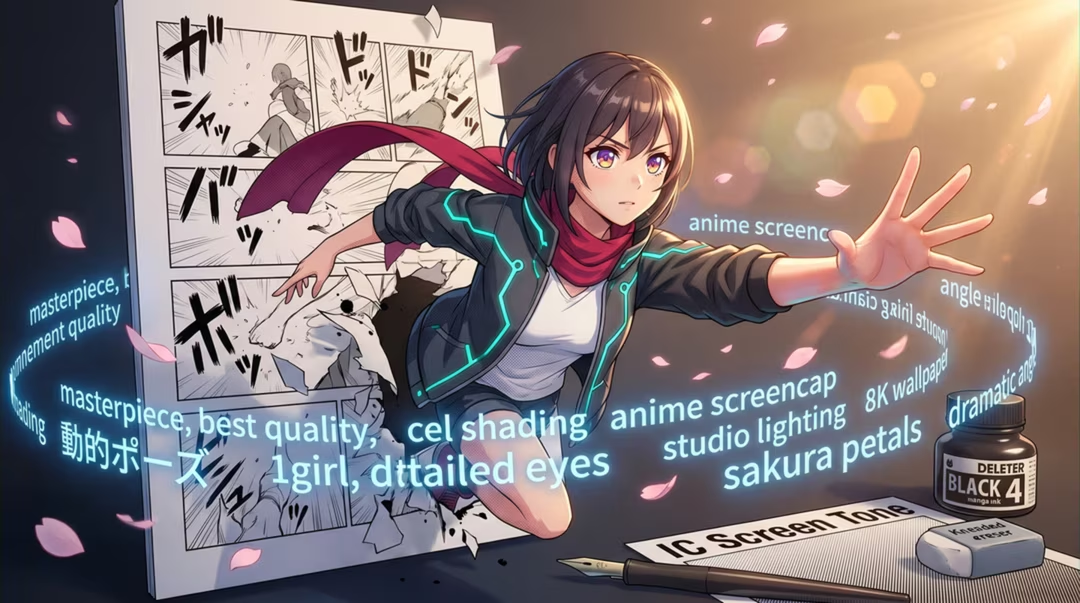
Prompting for anime is less about the word "anime" and more about the specific conventions you want: how thick the outlines are, how shadows are shaped, how much background detail sits behind the character.
Get those explicit and results improve immediately. Leave them implicit and you get the generic average of a very large training set, which is where most disappointing anime output comes from.
Key takeaways
- Describe line weight, shading style and palette rather than relying on the word "anime".
- Consistency comes from a fixed character description reused verbatim, plus references.
- Generate manga panels individually and assemble them in a layout tool.
- Backgrounds usually need their own prompt language, separate from the character.
- Create original characters. Do not imitate living artists or copyrighted characters in misleading ways.
The visual grammar to specify
Five things carry most of the style: outline weight, shading method, palette, eye rendering and background density. Name each and you have described a look precisely.
Cel shading means flat colour with hard-edged shadow shapes. Soft shading means blended gradients. Saying which you want prevents the model from splitting the difference into something muddy.
| Lever | Options to name | Effect |
|---|---|---|
| Line weight | Fine, medium, bold, variable | Sets the drawn feel of the image |
| Shading | Cel, soft, hatched, minimal | Decides how dimensional it looks |
| Palette | Muted, high-key, pastel, high contrast | Carries mood more than any adjective |
| Eyes | Large expressive, restrained, realistic proportion | Anchors the sub-genre |
| Background | Detailed, simplified, flat colour, speed lines | Controls focus on the character |
Character design
Design before you generate. Decide age, silhouette, hair shape, palette and one memorable detail. A character with a distinguishing feature survives regeneration far better than a generic one.
Character design sheet for an original character: a seventeen-year-old lighthouse keeper's apprentice, short choppy dark hair, freckles, oversized navy raincoat, brass compass on a cord. Anime style, medium line weight, cel shading, muted coastal palette. Three views: front, side, three-quarter. Flat neutral background, consistent proportions.
Generate the sheet first. It becomes the reference for everything else.
Facial consistency and poses
Copy your character description exactly into every prompt. Rewording it, even slightly, is the most common cause of a face that drifts across a series.
Change only what must change: pose, expression, camera angle, setting. Where the tool supports reference images, attach the character sheet each time.
Same character as the reference sheet, unchanged design: seventeen-year-old apprentice, short choppy dark hair, freckles, oversized navy raincoat, brass compass. Now shown mid-stride on a wet stone jetty, looking back over her shoulder, three-quarter view, same line weight and cel shading, muted coastal palette.
"Unchanged design" plus the verbatim description does most of the consistency work.
Costume detail
Describe garments as materials and construction, not as vibes. "Heavy waxed cotton with a storm flap and worn brass buttons" gives the model something to render; "cool jacket" does not.
Keep the costume description in the fixed block so it stays constant, and put any temporary change — wet, torn, dusty — in the variable part of your prompt.
Manga panels
Generate panels one at a time. Multi-panel pages produced in a single generation almost always have inconsistent characters and illegible text.
Prompt each panel with its shot type and emotional beat, then assemble the page in a layout tool where you control gutters, borders and lettering properly.
A single black and white manga panel: close-up of the apprentice's face turning toward an off-panel sound, wide eyes, screentone shading on the shadow side, bold variable line weight, speed lines from the left, no text or speech bubbles.
Ask for no text and no bubbles. Lettering belongs in your layout tool.
Background scenes
Anime backgrounds are usually rendered differently from characters: more painterly, more detailed, sometimes softer. Prompt them separately for the best results.
Anime background plate with no characters: a small harbour at dusk, wet stone jetty, moored fishing boats, a lighthouse in the distance, painterly rendering with soft gradients, muted teal and amber palette, high horizon, quiet atmosphere.
"No characters" keeps the plate clean so you can place your own figure over it.
Avoiding generic output
If your character looks like everyone else's, the fix is specificity: an unusual silhouette, an asymmetric detail, a palette that is not the default. Generic input produces generic output.
Responsible original-character practice
Build original characters. Naming living artists in prompts to imitate their style is at best discourteous and in some contexts legally risky, and generating copyrighted characters can create real problems if you publish or sell the result.
Describing visual qualities is always the better route: line weight, era, palette, shading. It also gives you more control than a name ever would.
If you publish AI-assisted work in a creative community, say so. Disclosure costs nothing and preserves trust.
Frequently asked questions
How do I keep an anime character's face consistent?
Write a fixed character description and reuse it word for word, add a reference image where supported, and change only pose, expression and setting between generations.
What is cel shading in prompt terms?
Ask for flat colour areas with hard-edged shadow shapes and minimal gradient. Adding "no airbrushed shading" helps stop the model drifting toward soft digital painting.
Can I prompt in the style of a specific artist?
We advise against naming living artists or copyrighted characters. Describe the visual qualities you want instead: line weight, palette, shading style and era.
How do I generate manga panels?
Generate individual panels separately and assemble them in a layout tool. Asking for a full multi-panel page in one generation usually produces inconsistent characters and unreadable text.
Which tools suit anime work?
Midjourney's Niji-oriented workflows are widely used for stylised anime output, and Nano Banana 2 is a capable free option for character and scene exploration.
Return to the pillar guide for the complete method: iteration, model-specific phrasing, negative prompting and realism techniques.
Continue the series
The other chapters in the AI Prompt Engineering guide.